Chrome extension for Poshmark sellers

Share your closet.Stay in control.


Share your Poshmark closet free, and crosslist to eBay in two clicks with Pro. Works on poshmark.ca and poshmark.com. You confirm every run and can stop anytime, and you check and post every eBay listing yourself.

  • We never ask for your Poshmark password
  • Priced in C$
  • Based in Toronto

Desktop Chrome · poshmark.ca & poshmark.com · Not affiliated with Poshmark or eBay.

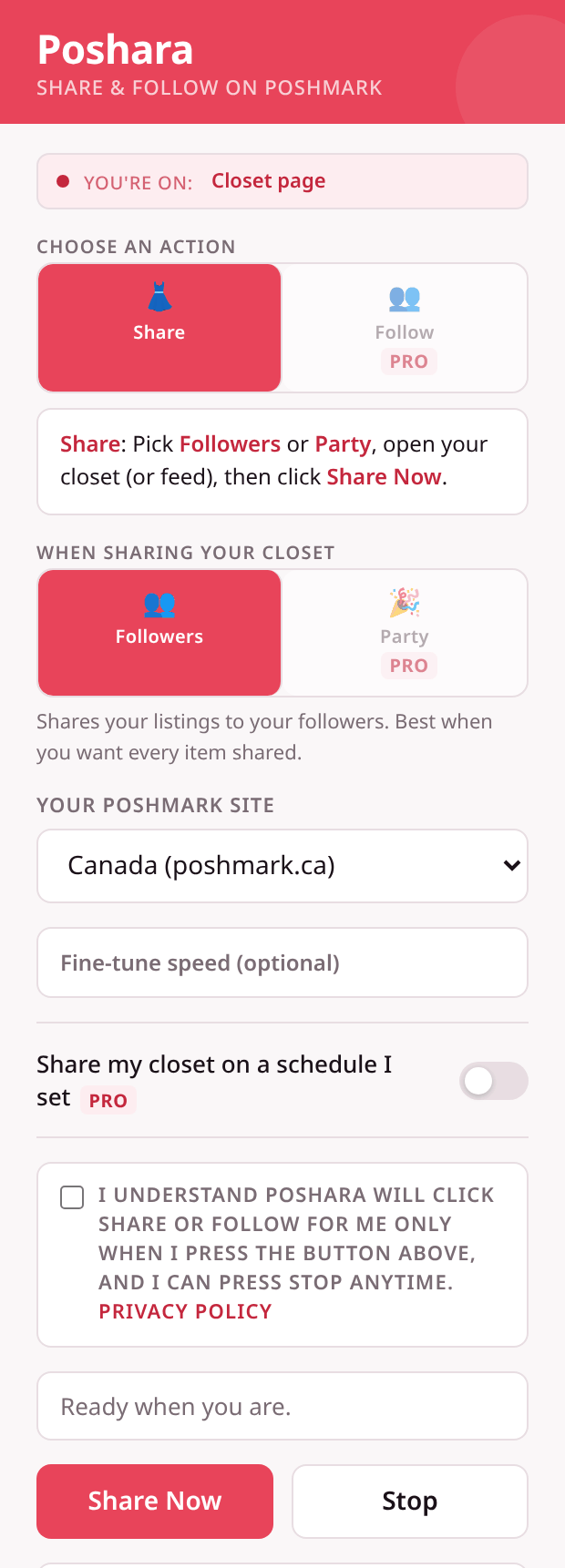
The Poshara popup on a Poshmark closet page: Share is selected, sharing goes to Followers, the site is set to Canada (poshmark.ca), a consent box to confirm the run, and the Share Now and Stop buttons.
The real Poshara popup, open on your closet.
How it works

Three steps, and you're in charge of each one.

Open your closet

Sign in to poshmark.ca or poshmark.com in Chrome and open your own closet. We never ask for your password.

Check consent, press Share Now

Nothing runs until you tick the consent box and press Share Now. Settings stay on your device.

Watch it, stop anytime

Poshara shares your listings to your followers while you watch. Press Stop whenever you like.

Plans

Two ways to use Poshara.

Free for your closet. Pro for more. Priced in Canadian dollars.

Free
Poshara
Free
Chrome extension · share your own closet
  • Share listings from your own closet
  • You check consent before every run
  • Stop anytime
  • Works on poshmark.ca and poshmark.com
  • Every share checked against Poshmark's response

Not affiliated with Poshmark Inc.

3-Day Free Trial
Poshara Pro
C$9.99
free for 3 days · then C$9.99/mo · cancel anytime
  • Everything in Free
  • Scheduled closet sharing
  • Daytime-only schedule + both .ca and .com closets
  • Follow from Followers pages
  • Feed and party sharing
  • Activity log export (CSV): 30 days of proof
  • Crosslist to eBay: two clicks from your Poshmark listing to a filled-in eBay listing. Add shipping, check it, and press List it yourself.
Start free for 3 days →

Powered by Stripe · Secure · Cancel anytime

Not affiliated with Poshmark or eBay.

What you get

Free for your closet.
Pro for more.

Free

Share your own closet

Open your closet, check consent, then share your listings to your followers. Stop anytime.

Free

You confirm every run

Nothing runs until you check the consent box and press Share Now. Settings stay on your device.

Pro

Scheduled closet sharing

Turn on closet sharing on a schedule you choose, every few hours. Off by default.

Pro

Follow & feed tools

Follow from Followers pages, and share from feed or party pages, in addition to your closet.

Pro

Crosslist to eBay

Open one of your Poshmark listings and click Crosslist to eBay. eBay opens with your listing filled in. Check it, finish anything left, then press List it yourself. Works on poshmark.ca with ebay.ca, and poshmark.com with ebay.com.

Read the crosslist guide →

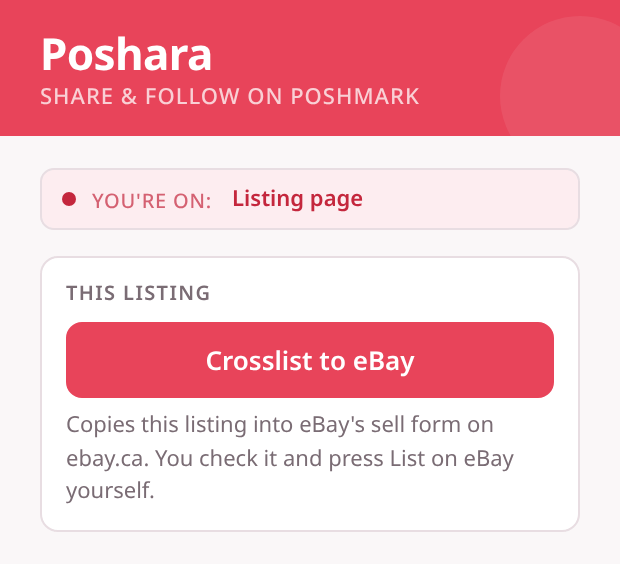
The Poshara popup on a Poshmark listing page with Pro on, showing the Crosslist to eBay button and the note that you check the listing and press List on eBay yourself.
Crosslist to eBay in the Poshara popup, on one of your listings.
FAQ

Questions

What does Poshara do?
The free extension shares listings from your own Poshmark closet after you confirm each run. Pro adds scheduled closet sharing, quiet hours, both Canada and US closets, follow from Followers pages, feed/party sharing, and Crosslist to eBay.
Is this a cross-listing tool?
Yes. Poshara Pro includes Crosslist to eBay. Open one of your Poshmark listings and click Crosslist to eBay. eBay opens with your listing filled in. Check it, finish anything left, then press List it yourself. Poshara never posts for you. It works on poshmark.ca with ebay.ca, and poshmark.com with ebay.com. eBay is the only marketplace we support right now. How to crosslist from Poshmark to eBay
Will you add other marketplaces?
eBay is live in Pro. If you want another marketplace next, tell us which one on the interest waitlist. We’re measuring demand only.
Do you need my Poshmark password?
No. Poshara runs in your own Chrome while you're signed in to Poshmark, and we never ask for your password.
How do I install it?
After checkout you’ll land on a welcome page that turns Pro on in Chrome if Poshara is already installed. If not, add it from the Chrome Web Store, then return to that page and click Activate Pro. Email hello@poshara.tech if you need help.
Does it work on Mac and PC?
Yes. Poshara is a Chrome extension and works on Mac and Windows with desktop Chrome.
Can I cancel Pro anytime?
Yes. Cancel through Stripe in one click. No long-term contract. Pro turns off once that subscription is no longer active (usually within a few hours).
Share your closet. Stay in control.

Free to install. Pro is C$9.99/mo after a 3-day free trial.